Routing of SMS
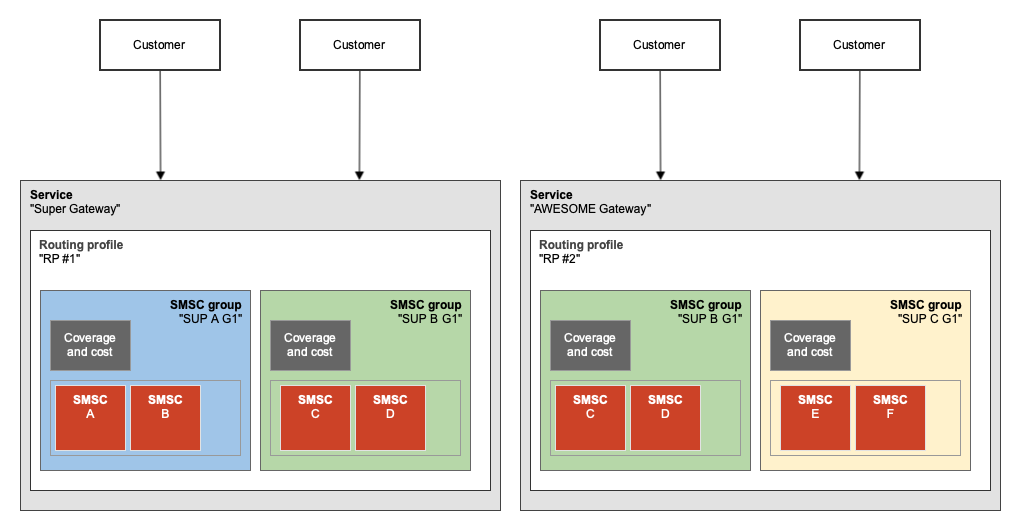
Customer SMPP accounts are associated with a service, and it is the routing profile for the service that defines the routing of customer messages.
A service’s routing profile contains one or more groupings of SMSCs. Each grouping of SMSCs is defined in an SMSC group. These SMSC groups are normally used to group together one or more SMSC accounts from an individual supplier and that belong to a specific service from that supplier.
A number of different routing methods are being added to the SMPP SMS Gateway. The following routing strategies are currently available. The strategy for a routing profile can be selected in the Routing section.
Used in routing decision | RR | Net-RR | Net-RR-LCR |
|---|---|---|---|
Uses all SMSCs in all SMSC groups that are part of routing profile. Uses SMSCs in a round-robin distribution. | Same as for RR, but only uses SMSCs that can reach destination network. | Same as for Net-RR, but attempts via cheapest SMSC first before retrying onto more expensive SMSC. | |
Networks reachable (Suppliers > Routes) | NO | YES | YES |
Cost for sending message to network via SMSC (Suppliers > Routes) | NO | NO | YES |
Method | Description | Example |
|---|---|---|
Round-Robin (RR) | Messages are distributed across all Note: does not take into account the coverage or pricing of the SMSC group / SMSC (supplier). | A service’s routing profile contains two SMSC groups. One group has SMSCs A and B. The other group has SMSCs C and D. Messages will be equally distributed across SMSCs A, B, C and D. |
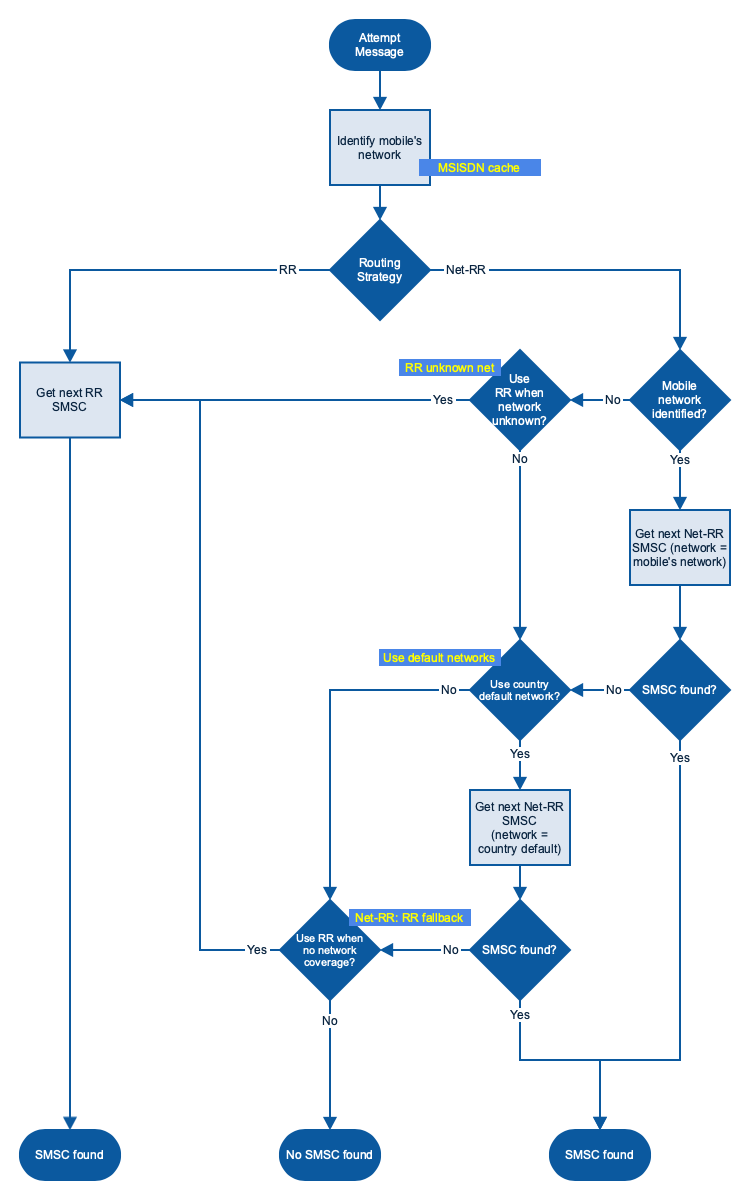
Network Round-Robin (Net-RR) | Messages are distributed across all Net-RR uses the mobile number prefix (NDC) (and optionally See below flowchart for detailed explanation of routing. | A service’s routing profile contains two SMSC groups. The first group has SMSCs A and B, and includes route entries under Messages for United Kingdom | Orange will be equally distributed across SMSCs A and B. Messages for United Kingdom | O2 will be equally distributed across SMSCs A, B, C and D. |
SMSC Selection when using RR and Net-RR routing strategies
Setting-up routing
The steps to set-up routing are outlined in the “Getting started” guide:
Once a routing profile has been created, it can then be associated with a service. It is also necessary that you have created a pricing plan to be associated with the service.
SMSC group weights
For RR routing, a weight can be assigned to an SMSC Group in a routing profile to increase or decrease the proportion of SMS traffic that is sent to SMSCs in that SMSC Group.

For example: Routing profile “Tyr Routing #1” has two SMSC groups that are members of the profile: “A” and “B”. Each SMSC group has the same number of SMSCs within it. Setting the “Weight (RR)” for SMSC group “A” to 1 and “B” to 9 will result in 10% of traffic going to SMSC group “A” and 90% to SMSC group “B”. The weights result in 1 message in every 10 (9+1) going to SMSC group “A” and 9 messages in every 10 going to SMSC group “B”.
The weights for SMSC Groups belonging to a routing profile can be configured in Routing | Profile members.
Routing configuration and status
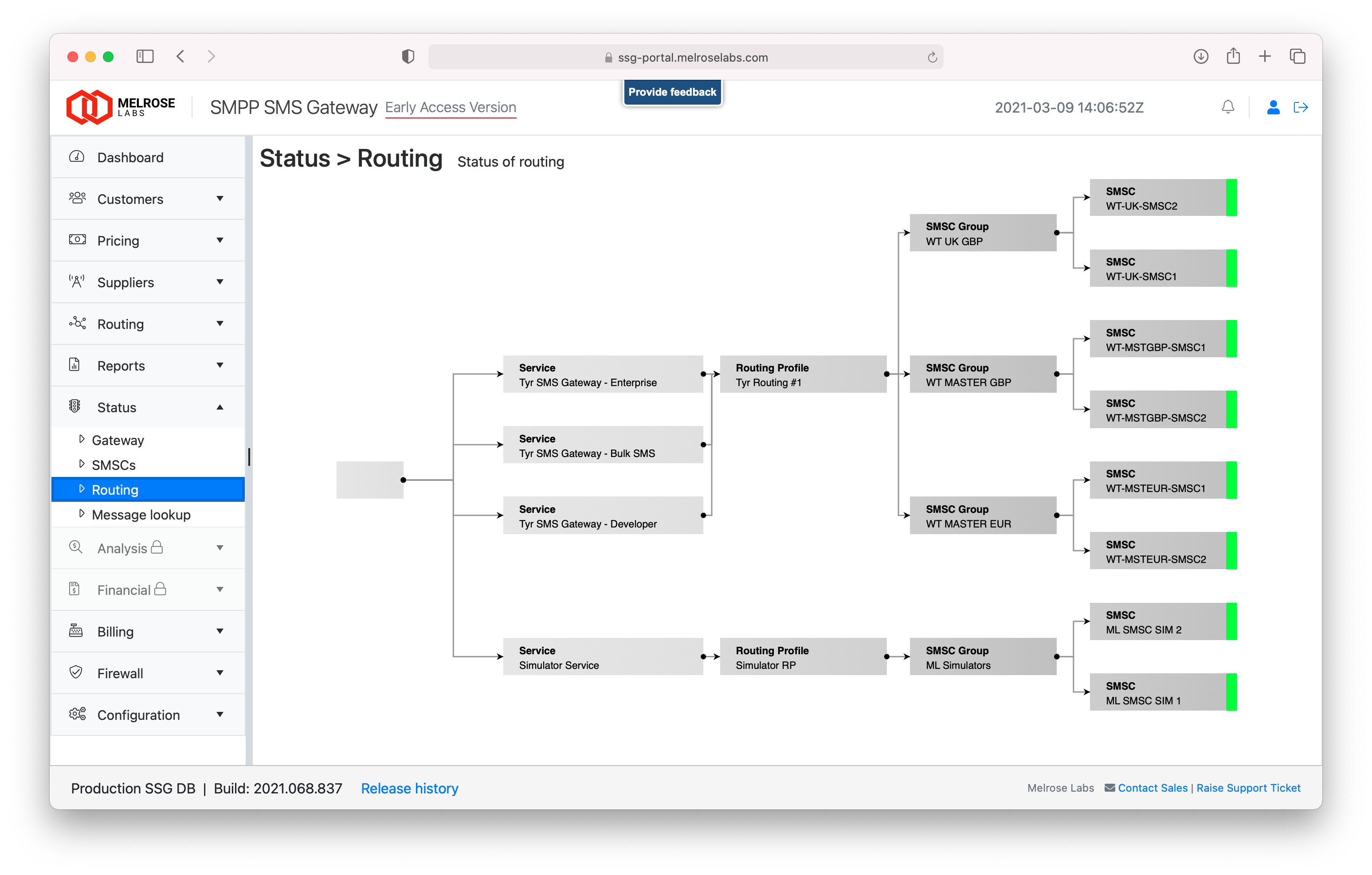
A digram showing the current routing configuration and status of SMSC connections can be viewed in the Status | Routing section.
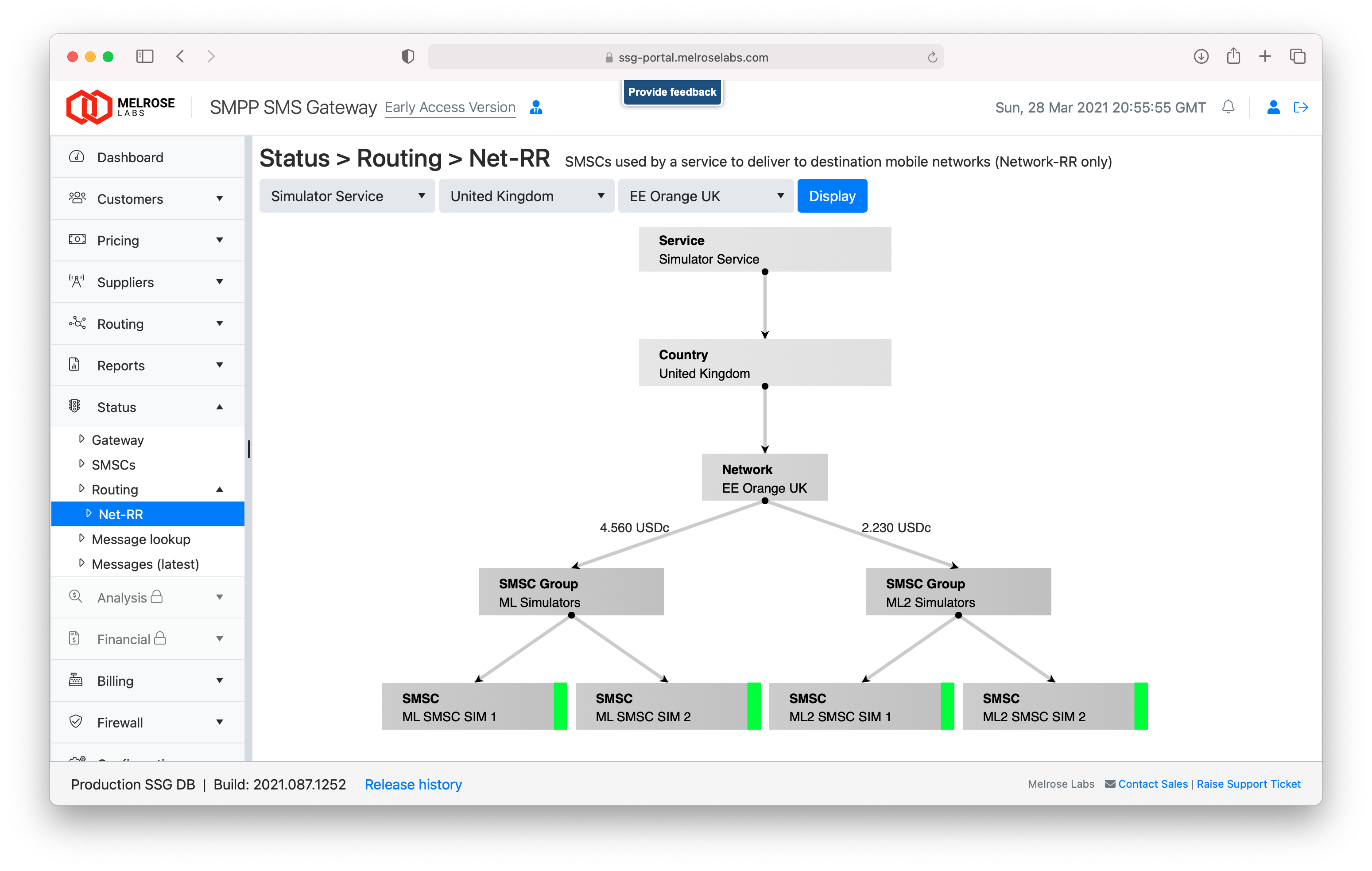
For Net-RR routing, SMSC selection for a particular network can be viewed in the Status | Routing | Net-RR section.